

It's popular today to think that content is king. People will pay for it if it's good enough, and people will keep coming back to you if you provide "good" on a consistent basis. They'll try your product - whatever it is - and they'll come back to buy again if they feel like your content makes their lives better in some way. There's a reason why this thinking is popular: it's right, and it's proven.
One thing that gets left behind in the "content is king" discussion is the issue of the interface. The best (if sometimes not the prettiest) interfaces are designed to take advantage of existing physical/spatial relationships that we implicitly make in our heads. Based on past experience, you know that when you finish one page of a book, the next place to look is on the subsequent page. If you re-ordered the pages in a book, it'd be pretty tough to read. Similarly, we know that red means stop, green means go, the check mark means approve and the X mark means cancel. If you're smart, you don't rearrange these things.
Whether by touch, sound, or whatever, we usually interact with things using physical tools. So it makes sense that we design our relationships with online applications through the typical interface tools: a keyboard and a mouse/trackpad. Almost all computers will have these two input devices. Two things I've found online recently have made me stop and think about the future of how we interact with machines. And while multi-touch interfaces and Microsoft Surface will someday revolutionize the industry, the following two examples use existing technology that's at least widespread enough to be standard equipment on my MacBook.
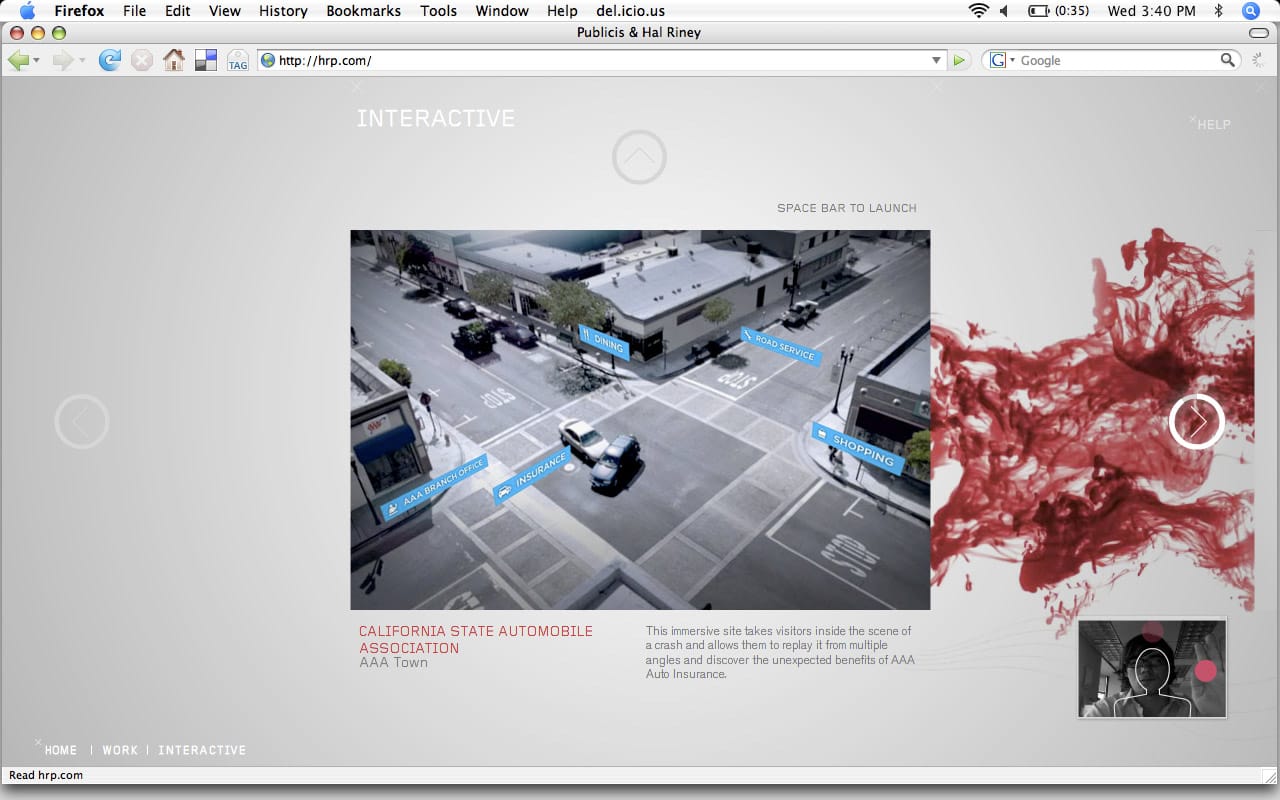
The new HRP site is pretty much the anti-Modernista in everything it does, and while I congratulate HRP for their daring effort, the site just takes WAY too long to load. In any case, the interesting thing about this site is not the work, nor the design, though both are nice. As you enter the site, you're given the option to navigate via mouse or through your webcam (!). Through a nifty bit of Flash programming, the site asks permission to take control of your webcam and microphone. Then, by sitting in front of the webcam, you wave your hand across various areas of the screen to navigate the site. It doesn't work well all the time, but with a little patience, you can successfully check out their work and find out how to get in contact with the appropriate people. And it clearly shows they can do some tricky stuff with the web.
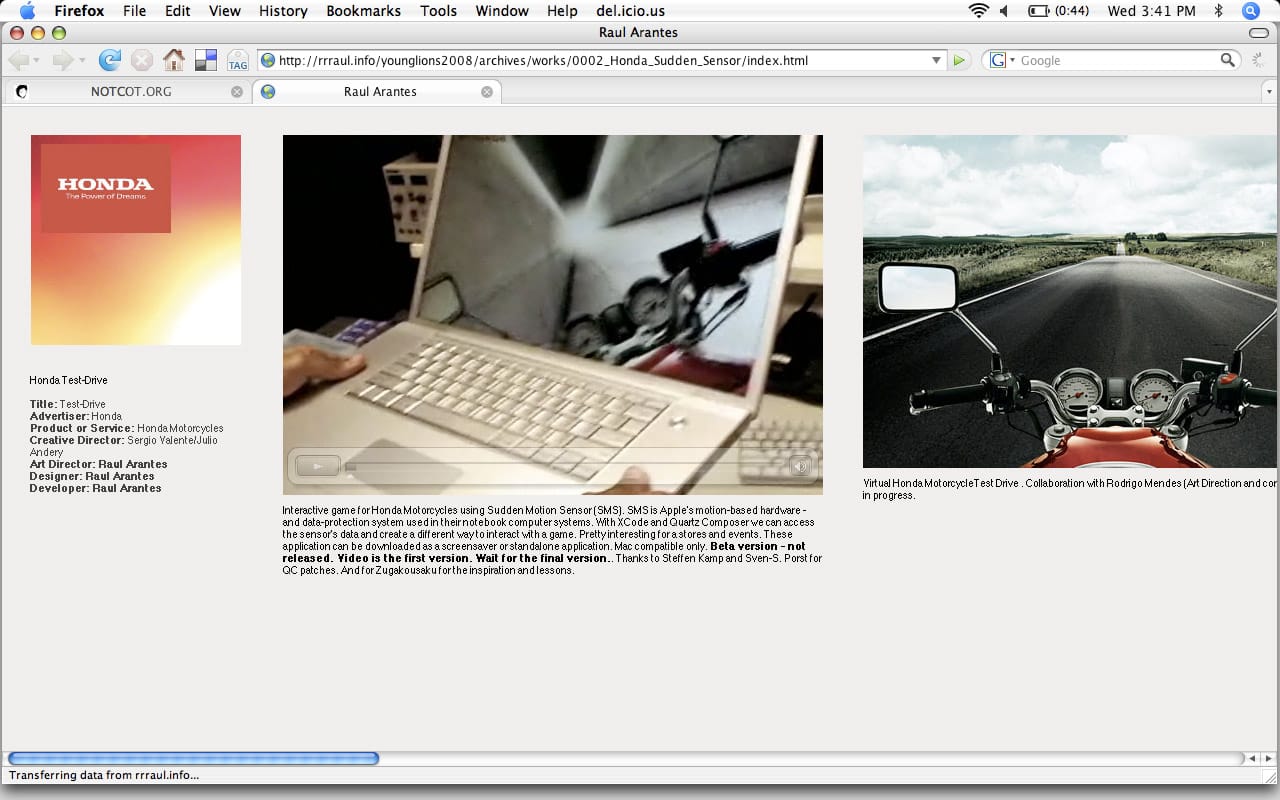
I found this example last week, and while it seems to be in early beta/concept stage, this is a Honda motorcycle test-drive application that utilizes the accelerometer in MacBooks & MacBook Pros (used to shut down the hard drive in the event of a drop) as the controls for the app. Instead of tilting a joystick or pressing arrow buttons, just pick up your laptop and tilt it around to steer. Pretty cool.
What could you do with these? I'm not sure just yet. But they help illustrate a larger point: there's more to computer-human relations than just a mouse & keyboard, and we need to start thinking about ways to take advantage of that. Both are outside the realm of useful, and neither are compliant/accessible, but in very specific situations, they could add a lot of interest & intrigue to a web experience. Jus' something to think about.